
How to Register for Habitat Acoustics — 2027
Participants register through the Bauman Moscow State Technical University Scientific Conference Portal — c.bmstu.ru.
If you are a Bauman University staff member or student
Log in to the portal using your Electronic University account username and password.
If you are not a Bauman University staff member or student
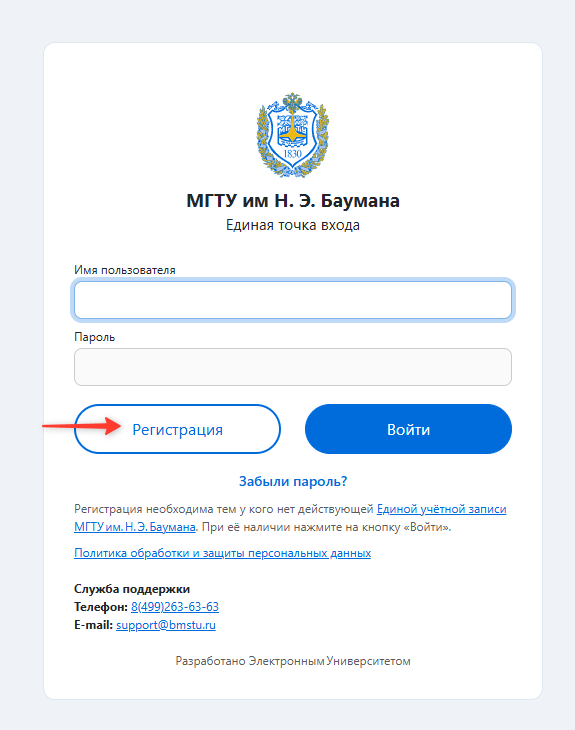
When visiting the portal for the first time:
1. Click “Register”.
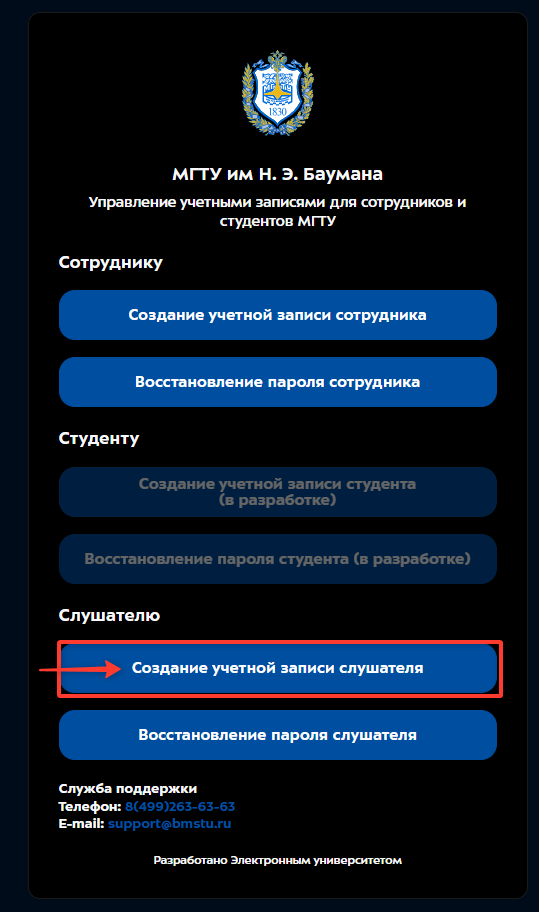
2. Select “Create an attendee account”.
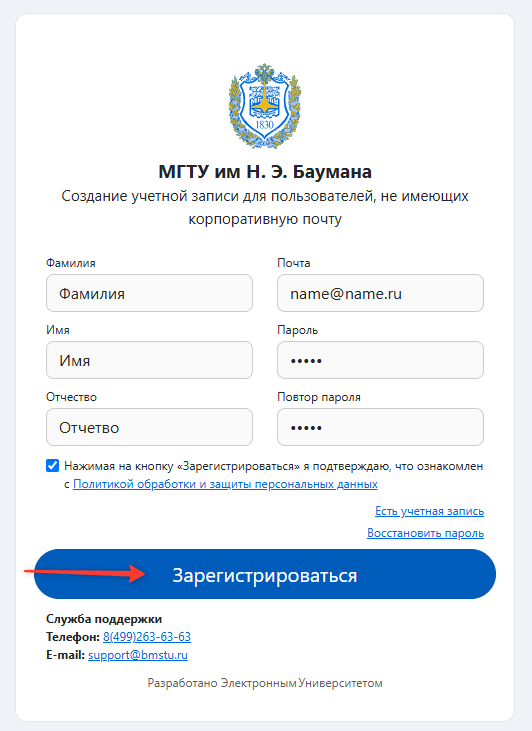
3. Enter your full name and email address, and create a password.
4. Verify your email address and log in to the portal using your new account.
Important: selecting “Create an attendee account” only creates your account on the portal. It does not mean that you are registering for the conference as a non-presenting attendee.
After logging in to the portal
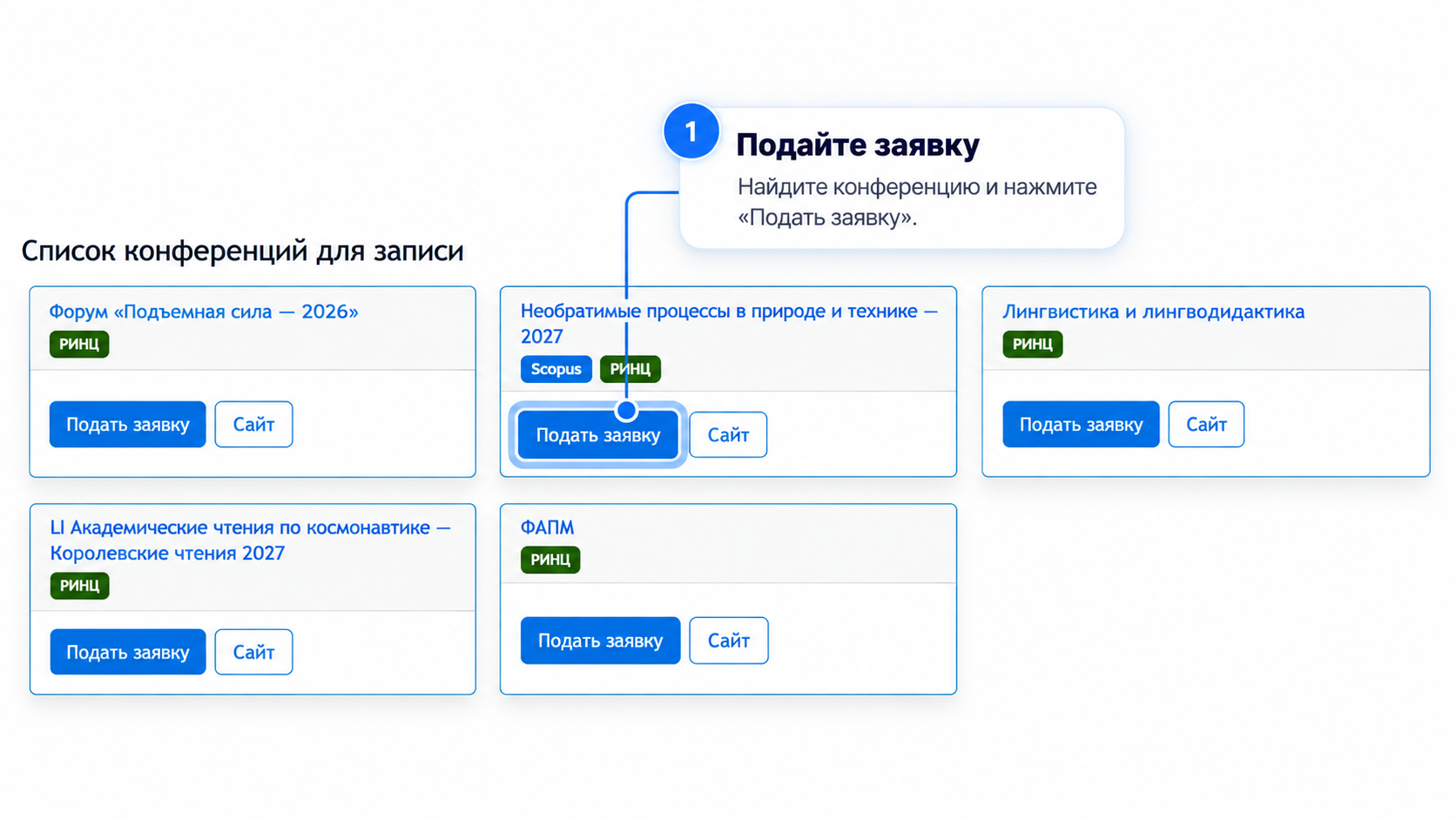
1. Submit your application
In the “Conferences open for registration” section, find “Habitat Acoustics — 2027” and click “Apply”. Enter your personal details, select your preferred participation options, and follow the instructions.
2. Upload your paper and publication clearance document
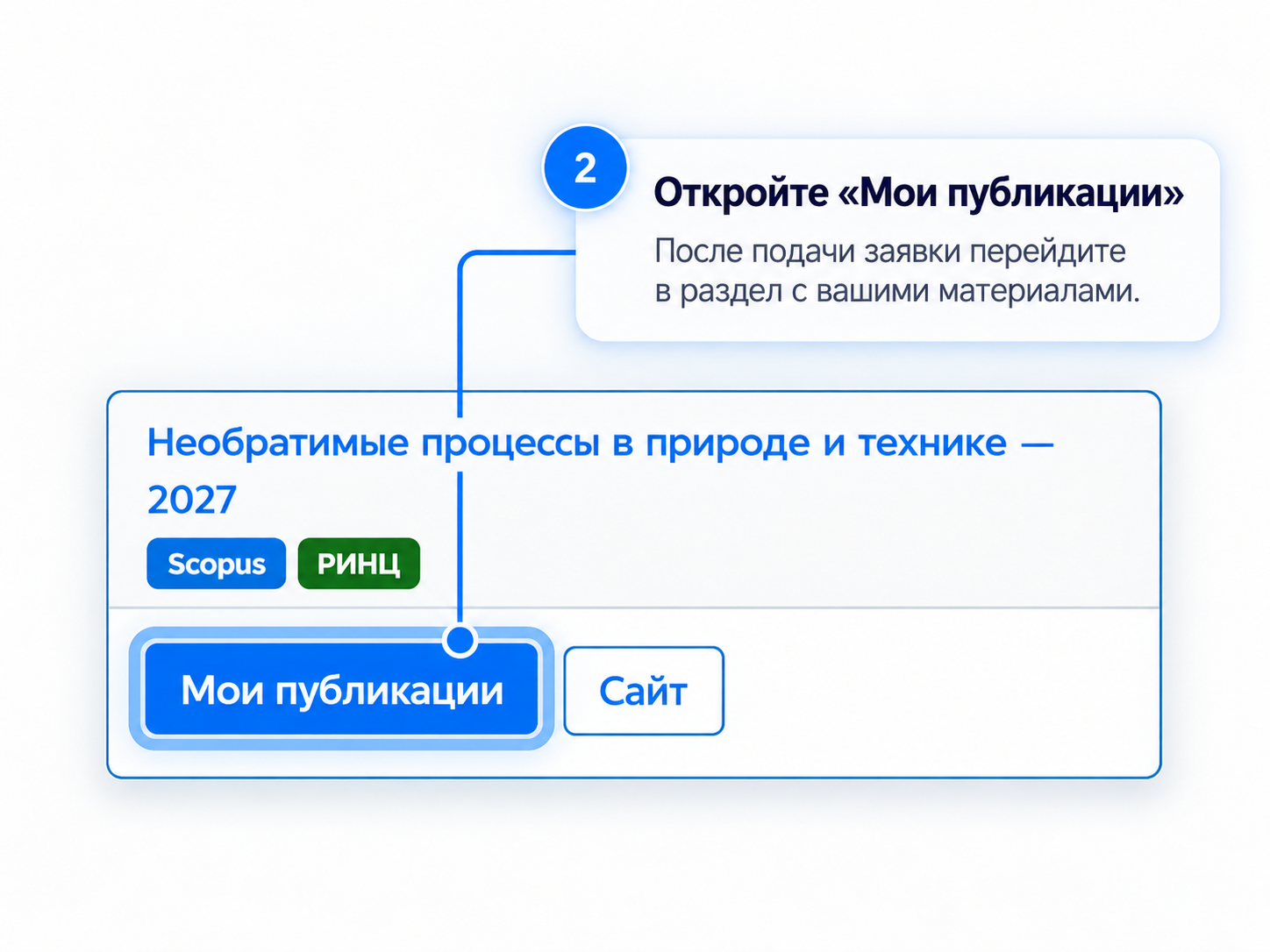
After submitting your application, click “My publications” and open your application. Click “Submit a publication”.
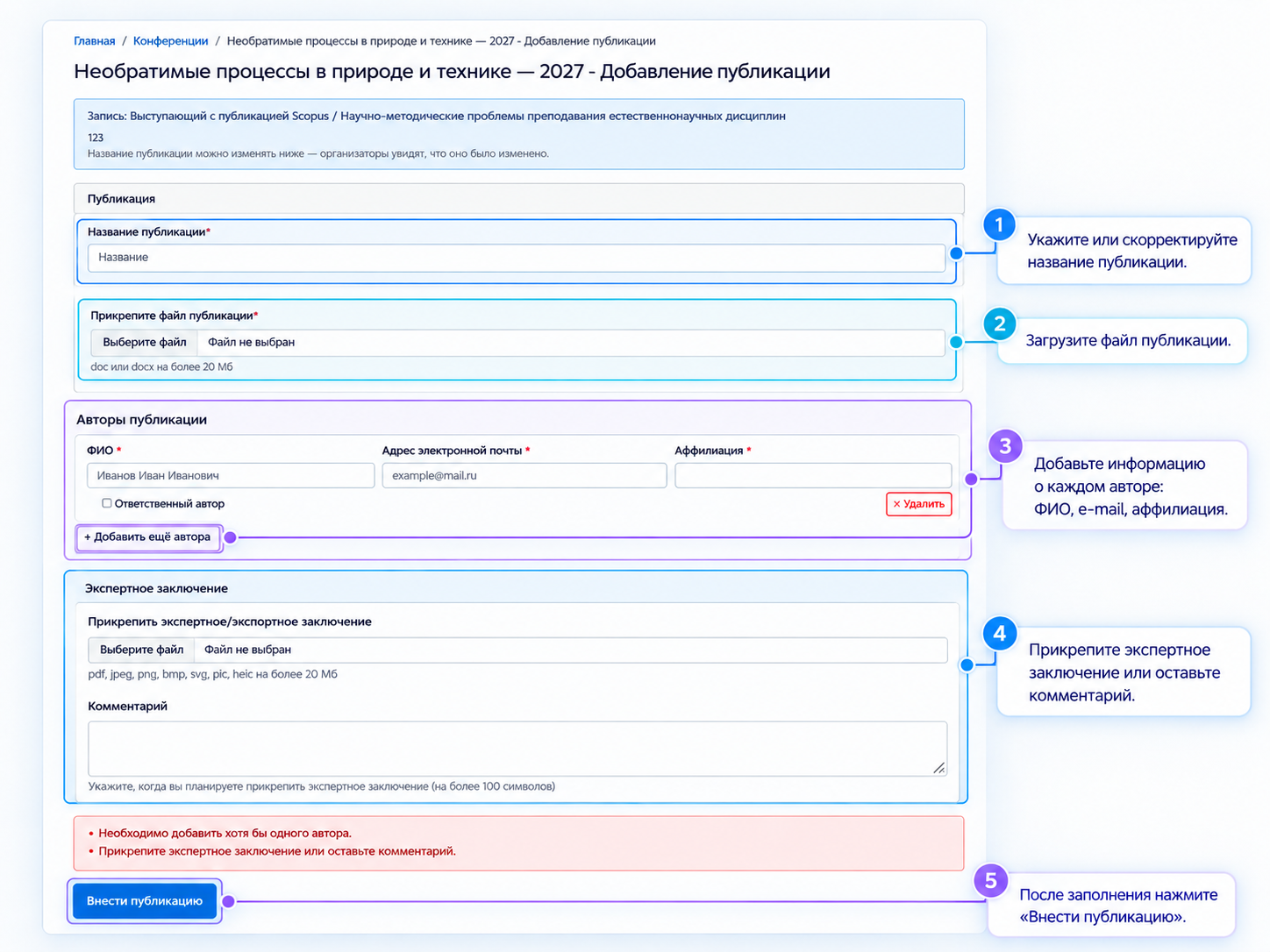
Upload your paper, provide details of all authors, and attach the publication clearance document (expert opinion).
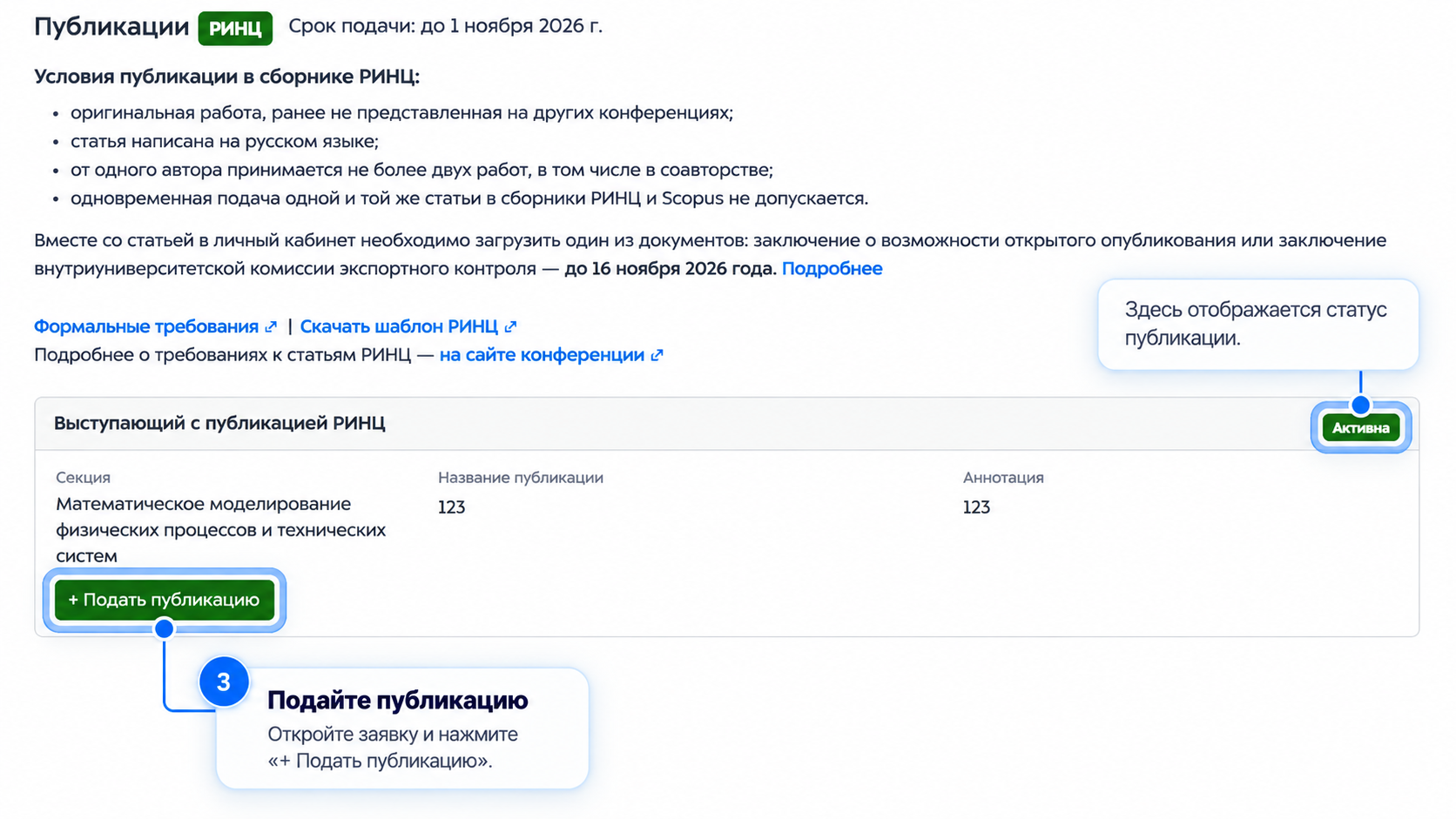
To submit your materials, click “Add publication”.
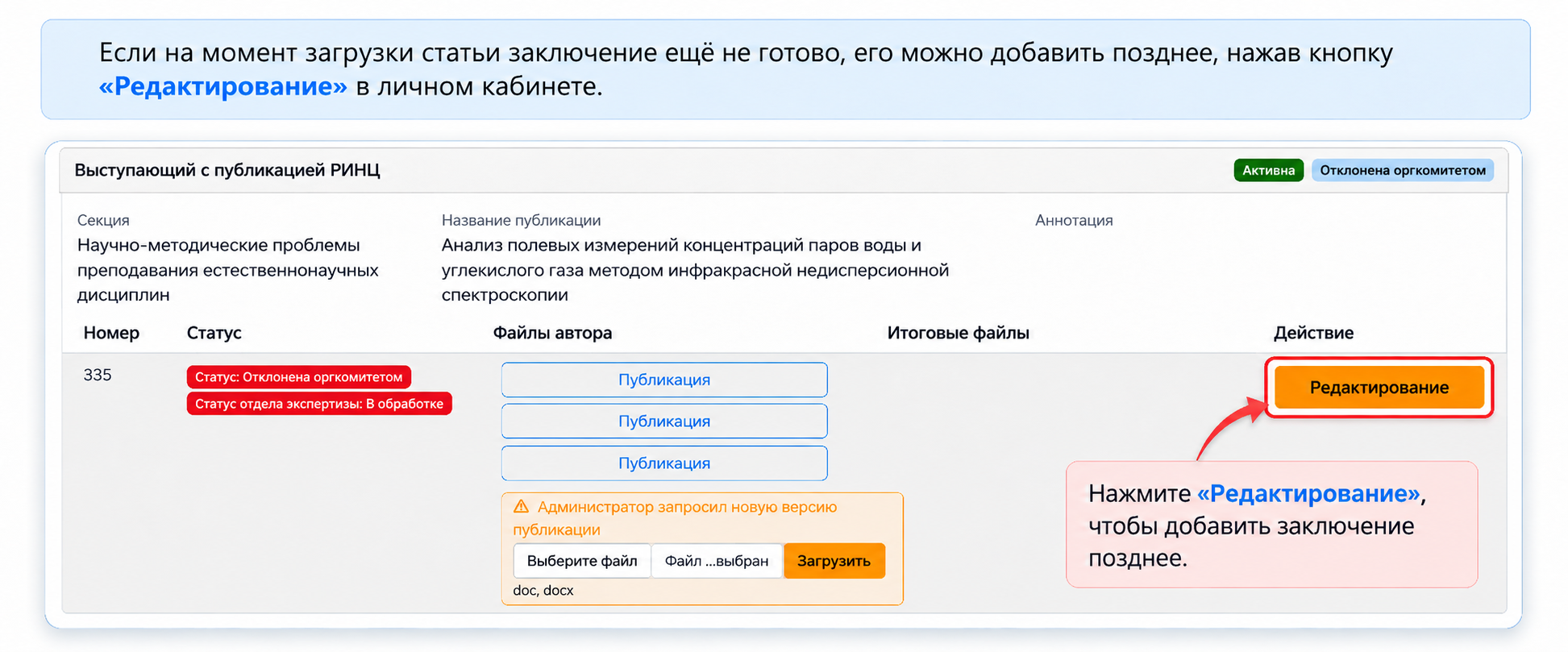
If the publication clearance document is not yet available when you upload your paper, you can add it later by clicking “Edit” in your personal account.
Your materials will be reviewed by the conference Organising and Programme Committees. We will notify you separately whether your presentation has been included in the conference programme.
After registration, all communication between authors and the Organising Committee takes place by email at aco@bmstu.ru and through the author’s personal account on the c.bmstu.ru portal.